Offline GPS Apps: How to Navigate Without Internet on Your Cell Phone
 Put Ricardo Sanches
Nowadays, free, offline GPS apps have become indispensable for those who want to explore new places without relying on an internet connection. With the growing demand for offline maps for mobile phones, many users are looking to download reliable apps that offer accuracy and ease of use. Furthermore, these apps are ideal for remote areas where internet signal is scarce or non-existent, ensuring a seamless navigation experience.
Therefore, it's important to know the best options available on the Play Store. By downloading offline maps, you can take advantage of advanced features like offline GPS tracking and detailed routes. This makes it easier to plan trips, trails, or even urban commutes without worrying. Now, let's explore some of the main features of these apps and how they can transform your navigation experience.
Why Use Offline GPS Apps?
Offline GPS apps are an excellent alternative for those seeking convenience and savings. Besides being free, they allow you to download maps directly to your device, eliminating the need for mobile data usage during your travels. This means you can access navigation information even in remote locations, ensuring safety and peace of mind.
Therefore, by choosing a reliable free GPS app, you'll be investing in an efficient solution for your daily needs. Furthermore, these apps are compatible with Android and iOS, allowing anyone to access this technology. Below, we highlight five unmissable options that you can download right now.
Google Maps
Google Maps is one of the most popular navigation tools. Besides offering detailed online maps, it also allows you to download offline maps to your phone. To do so, simply access the "Offline Areas" function and select the desired region.
With this feature, you can use the offline route app anywhere. Additionally, Google Maps provides information on traffic, points of interest, and alternative routes, even offline. This makes it a practical choice for those who want to explore new destinations without worrying about anything.
HERE WeGo
HERE WeGo is another free GPS app that stands out for its offline performance. It allows you to download complete maps directly from the Play Store. This tool is ideal for those looking for accurate and personalized navigation.
Additionally, HERE WeGo offers routes for different modes of transportation, including cars, bicycles, and public transportation. This way, it adapts to your needs, providing a unique experience. So, don't waste time and download this incredible app for free to ensure your travel independence.
MAPS.ME
MAPS.ME is an excellent option for those who enjoy adventure and exploration. This app lets you download offline maps with impressive detail, including trails and landmarks. This way, you can plan your trips in advance and enjoy every moment.
Another distinguishing feature of MAPS.ME is its intuitive interface, making it easy to use even for beginners. It also provides information on nearby restaurants, hotels, and other attractions. So, if you're looking for an offline GPS app that combines convenience and functionality, this is a great choice.
Sygic GPS Navigation
Sygic GPS Navigation is known for its cutting-edge technology and advanced features. It allows you to download offline maps with ease. Additionally, the app offers clear and accurate voice instructions, ensuring an immersive navigation experience.
One of the advantages of Sygic is its compatibility Available on Android and iOS, allowing any user to enjoy its benefits. It also provides real-time information on traffic and weather conditions, even offline. So, download this app now and discover how it can improve your travels.
Waze
While Waze is widely used online, it also offers interesting offline features. You can download offline maps to your phone and benefit from community-sourced information. This makes the app a valuable tool for those seeking alternative routes and traffic alerts.
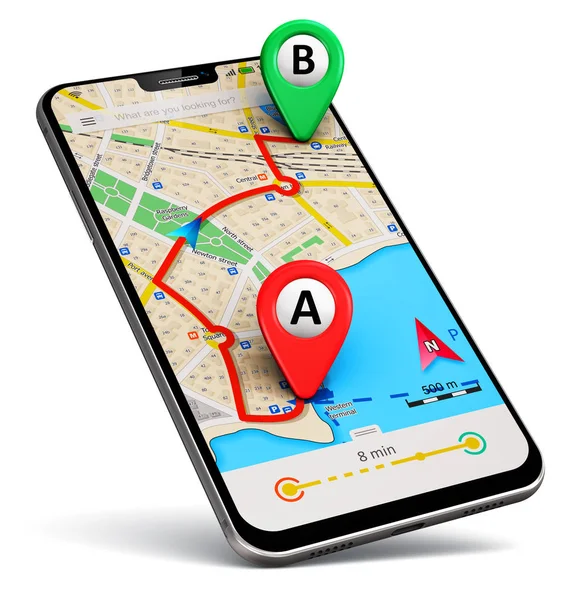
Furthermore, Waze is free and available on the Play Store, making it easy for all users to access. With it, you can explore new places safely and conveniently. So, be sure to try this offline GPS app and see how it can transform your navigation experience.
Conclusion
In short, free, offline GPS apps are indispensable solutions for those who want to explore the world freely. By downloading one of these apps now, you guarantee access to reliable and accurate offline maps. Furthermore, these tools offer unique features that adapt to your needs, providing a complete experience.
So, don't waste any more time and choose the offline GPS app that best suits your style. Whether for travel, hiking, or urban commuting, these tools will revolutionize your navigation. Remember that free, offline GPS apps are powerful allies for those seeking convenience and efficiency. So, take advantage of all the benefits they offer and explore the world with confidence.
Why does GPS work without a SIM card and without internet?
The GPS receiver in a cell phone only listens. It picks up signals from satellites that transmit, in a continuous cycle, the exact time and the user's position. The device compares the arrival time of these signals and calculates its location. Nothing leaves the phone in this process. That's why location services continue to work in airplane mode, in a valley without cell phone towers, and even on a device without a SIM card.
What depends on the internet is everything else: the street layout, the names, the search for establishments, and the route calculation. This content comes from the server as the screen moves. Without a signal and without a saved map, the blue dot floats on a gray background. The position is correct, but the context is missing.
There's a detail about timing that's often overlooked. With a network connection, the cell phone receives a preview of the satellites' position and fixes the location in seconds. Without a network connection, it reads this information directly from the signal, and the initial fix can take minutes. Turning on navigation while still in the city eliminates waiting on the highway.
What to prepare before leaving the penthouse.
- Download the area with extra space. Include the destination, the entire route, and a side margin. A roadwork detour throws the car outside the saved rectangle.
- Check the available space. Detailed maps take up hundreds of megabytes per region, and the download only completes properly with a stable Wi-Fi connection.
- Save the addresses beforehand. Searching by business name depends on the server. The point marked on the map remains on the device.
- Trace the route while still connected. Keep your browser open. Offline recalculation is possible in some apps, but it's not always fast.
- Light energy. Having the screen on and the receiver active constantly drains the battery. A car charger prevents the worst kind of unexpected problem.
The limits of offline browsing
An engraved map is like a photograph. It knows the road from the day it was downloaded and ignores everything that came after.
- No real-time traffic updates. Congestion, accidents, and road blockages occur through data that only travels through the network.
- No recent changes. Reverse direction, roadworks, and new roads will only be added to the device in the next map update.
- Limited search. Finding an open gas station at that moment requires a server. The offline map shows what was registered on the date of the download.
- Variable precision. Gorges, garages, and streets between tall buildings degrade the signal because it arrives reflected.
- Validity. Many downloaded areas expire within a few weeks, and renewal requires internet access.
Frequently Asked Questions
Does GPS use mobile data?
Receiving the satellite signal itself doesn't cost anything. The data consumption comes from the map, images, and traffic information loaded during the journey. By downloading the area beforehand, the data consumption drops to almost zero.
Does it work in airplane mode?
It works, as long as the map is saved. On many devices, you need to reactivate location services after switching to airplane mode.
Why does the blue dot take so long to appear?
This is the first attempt to fix the device without network assistance. Position the device facing the sky and wait a few minutes. Inside the car, near the windshield, the reading improves.
Does an offline map replace an online one in a big city?
It works for getting to an address. But it doesn't work for avoiding traffic jams and roadworks: that part depends on information that changes every minute and only arrives via the internet.